Ali Bambozya: LMS Admin & Analytics Dashboard Enterprise Software Development
Project Overview
How HBS built an LMS dashboard for Ali Bambozya's academy: revenue, payment recovery, learner retention, video drop-off and marketing funnels in one screen.
Project Overview
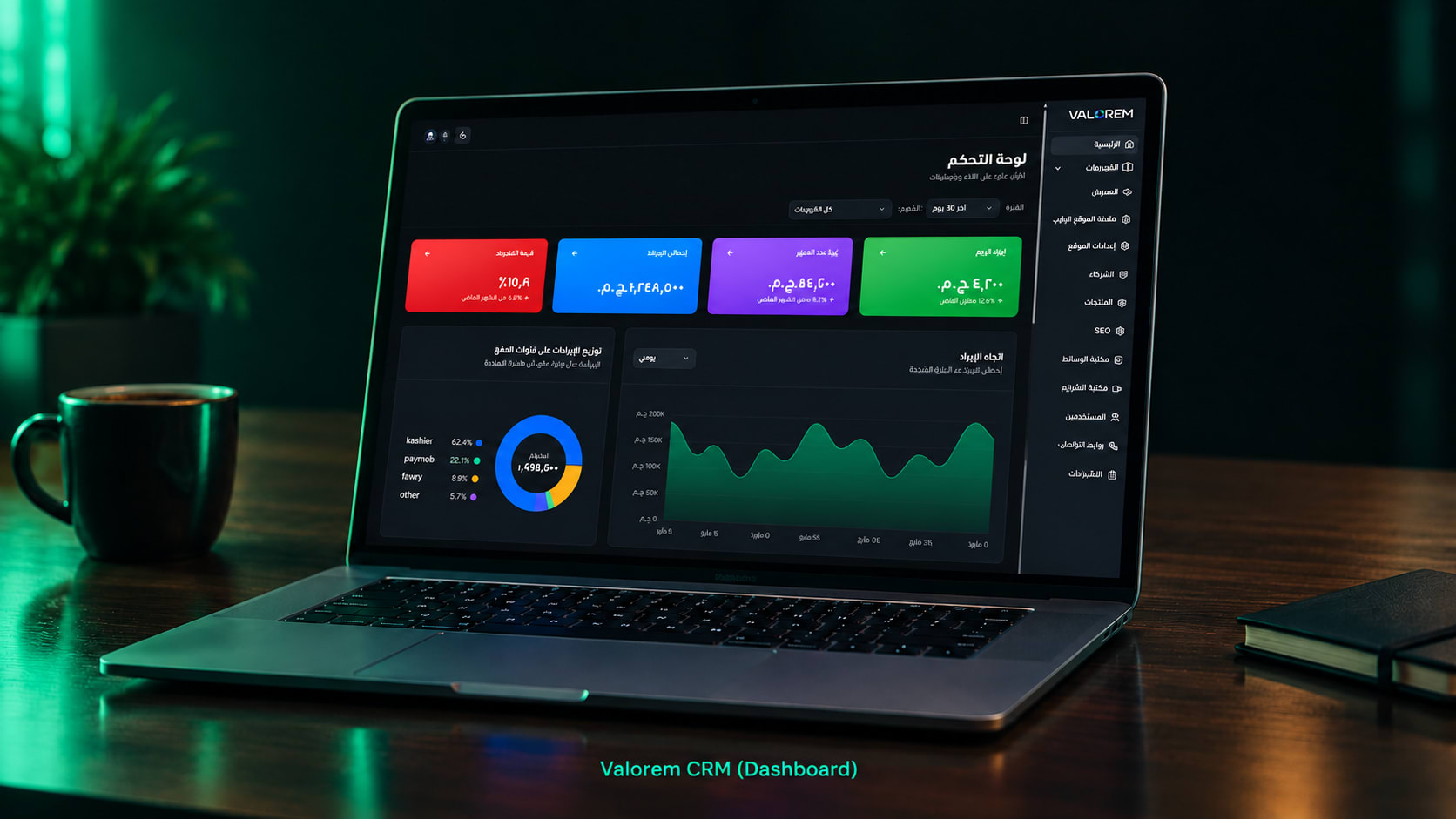
Behind Ali Bambozya's online academy sits a full admin and analytics dashboard: the control room that turns a course platform into a business the team can actually run. HBS designed and built it as part of the academy's LMS, so revenue, learner behaviour, marketing performance and support load live on one screen, and the team can act on them without a developer.
This dashboard is part of HBS LMS, the white-label course platform HBS Tech delivers to academies and trainers.
All figures, names and emails in the screenshots are demo data. The client's real numbers are not shown.
The Challenge
Most course platforms stop at "upload videos, take payments". The client needed answers: which course actually makes money, where buyers come from, which students are about to drop off (and at which minute of which video), and which failed payments can still be recovered. Off-the-shelf LMS dashboards show totals. They don't show decisions.
What the Dashboard Does
1) Revenue command center
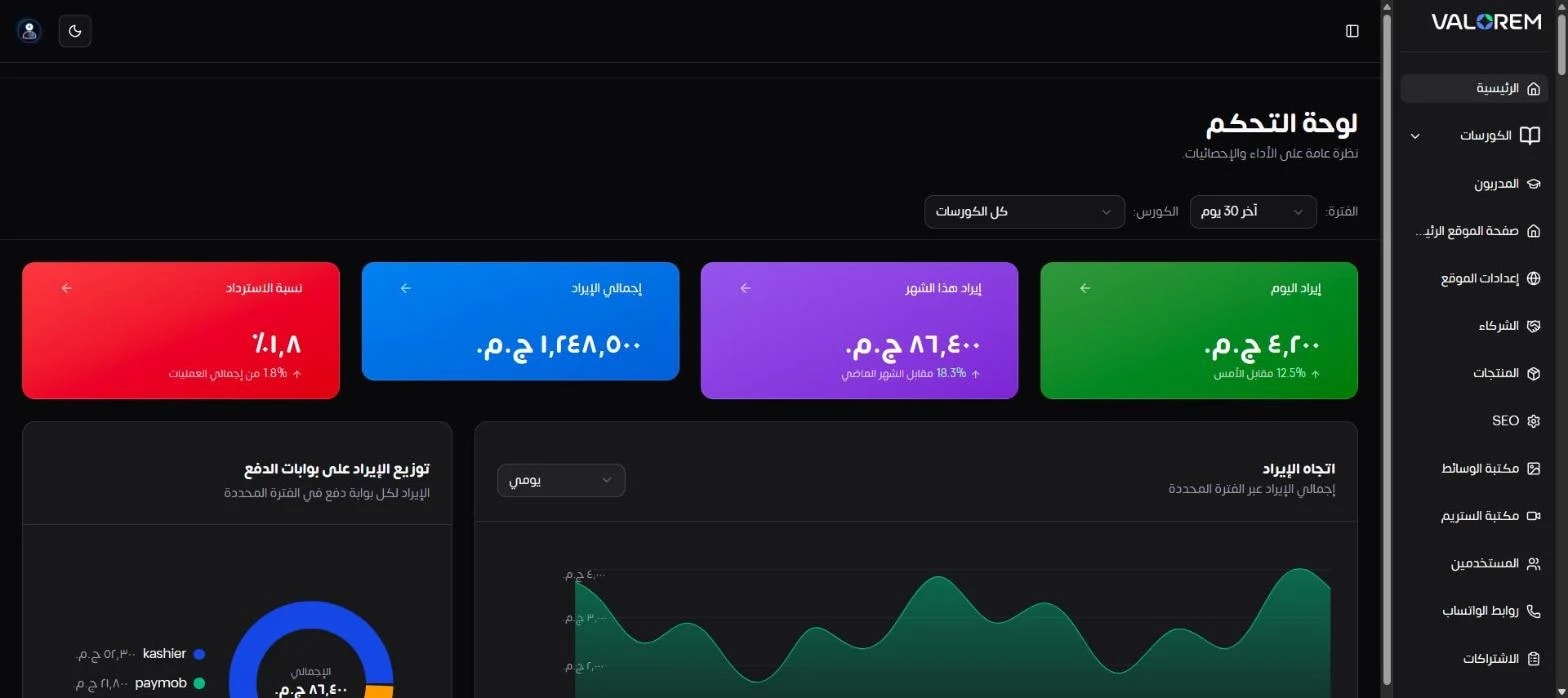
KPI cards for today's revenue, this month, lifetime revenue and refund rate, each compared with the previous period.
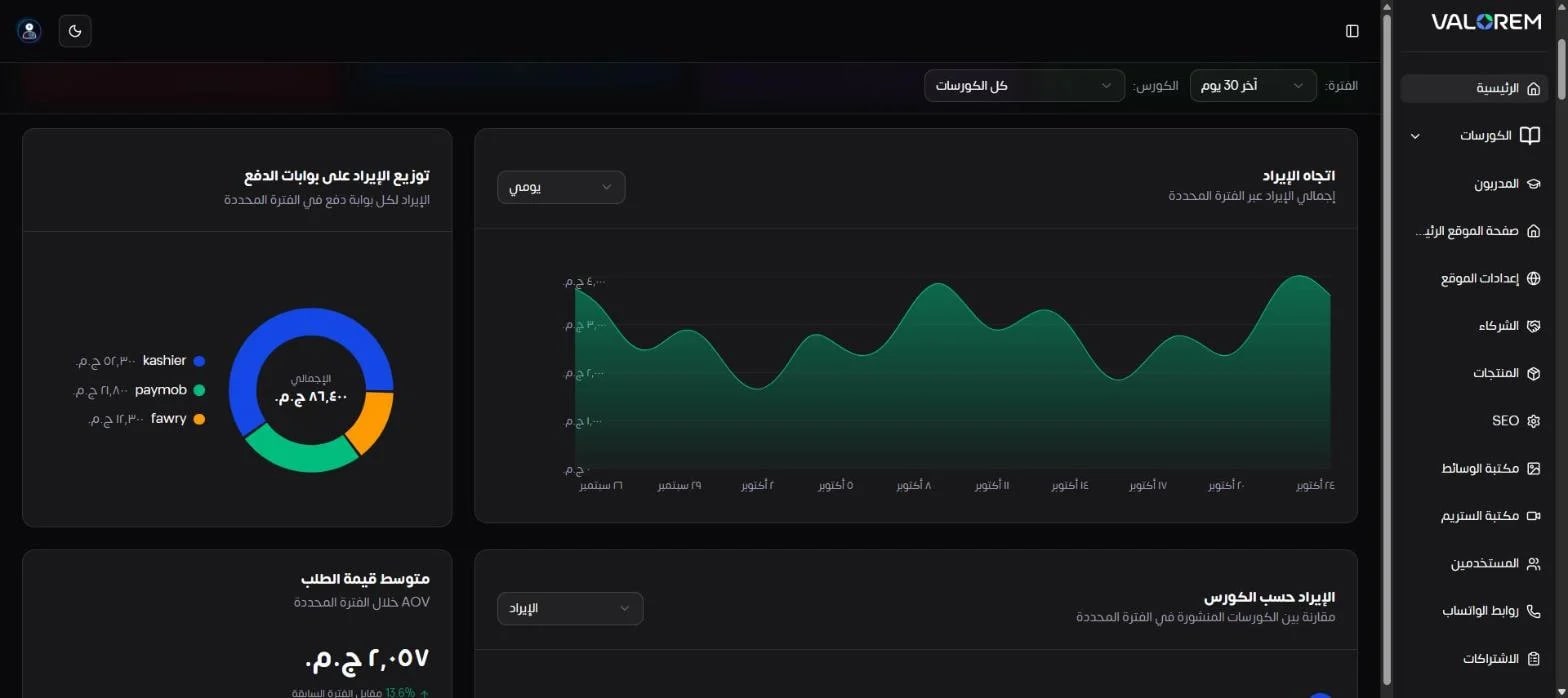
A revenue trend chart with selectable granularity, plus revenue split by payment gateway.
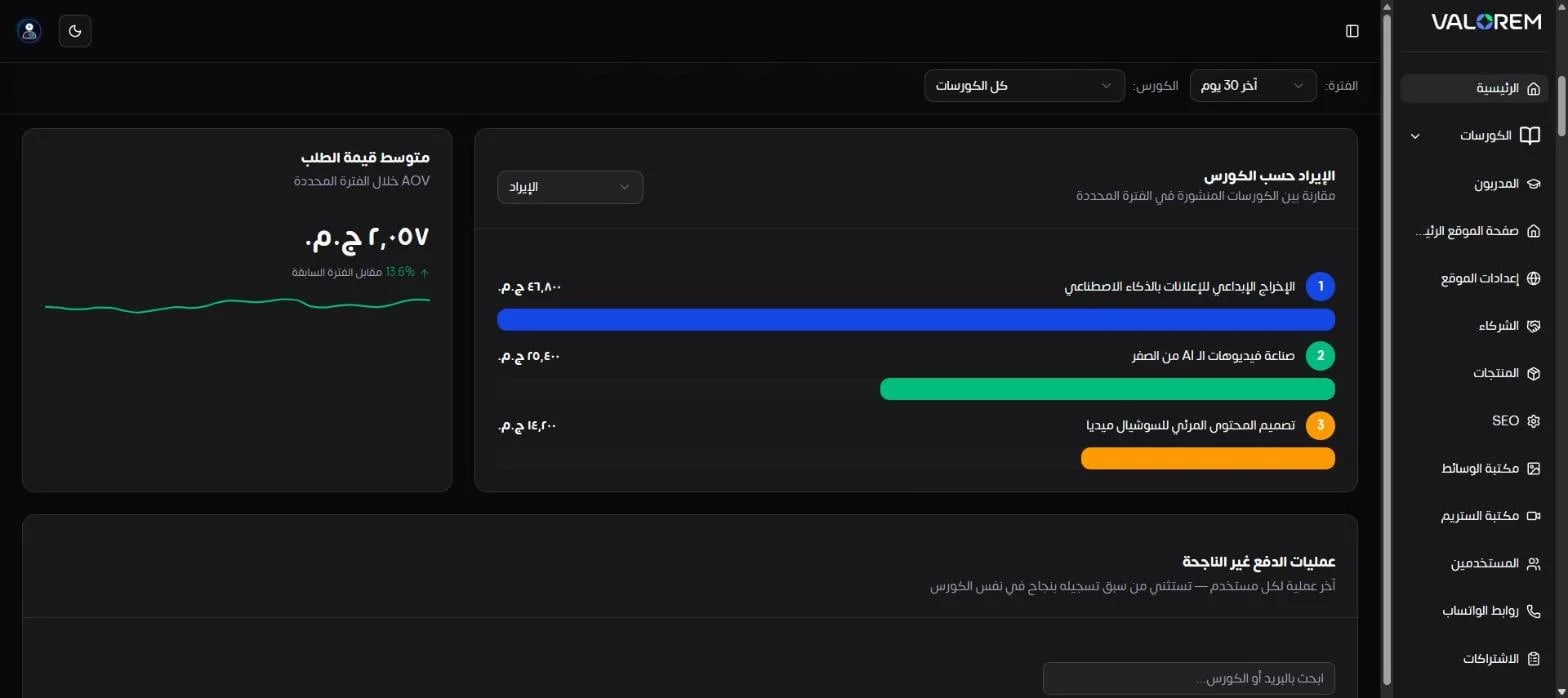
Revenue ranked by course, and an average order value (AOV) tracker with a trend sparkline.
Global period and course filters that apply to every widget on the page.
2) Payment recovery
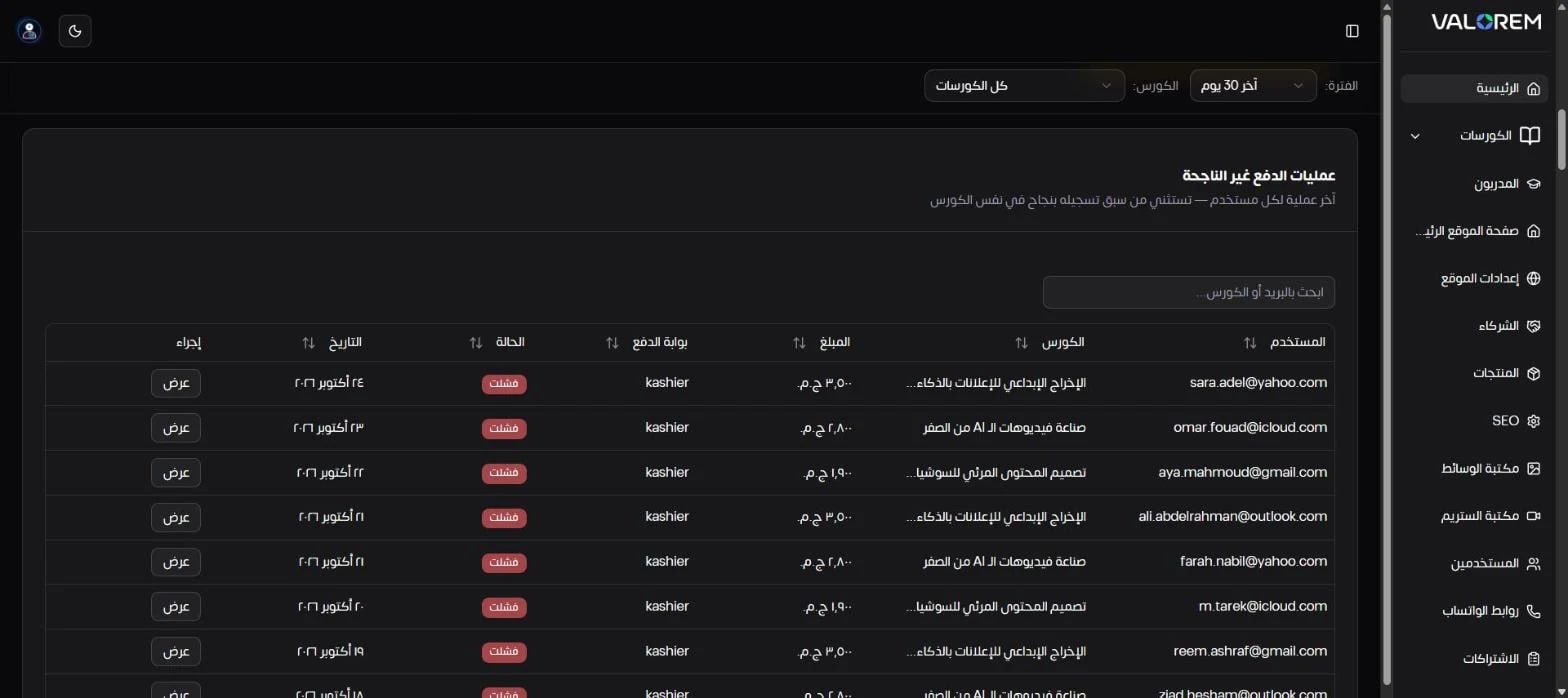
A dedicated failed-payments table lists each student's latest unsuccessful attempt and automatically excludes anyone who later paid for the same course, so the team only chases sales that are genuinely recoverable.
3) Course performance
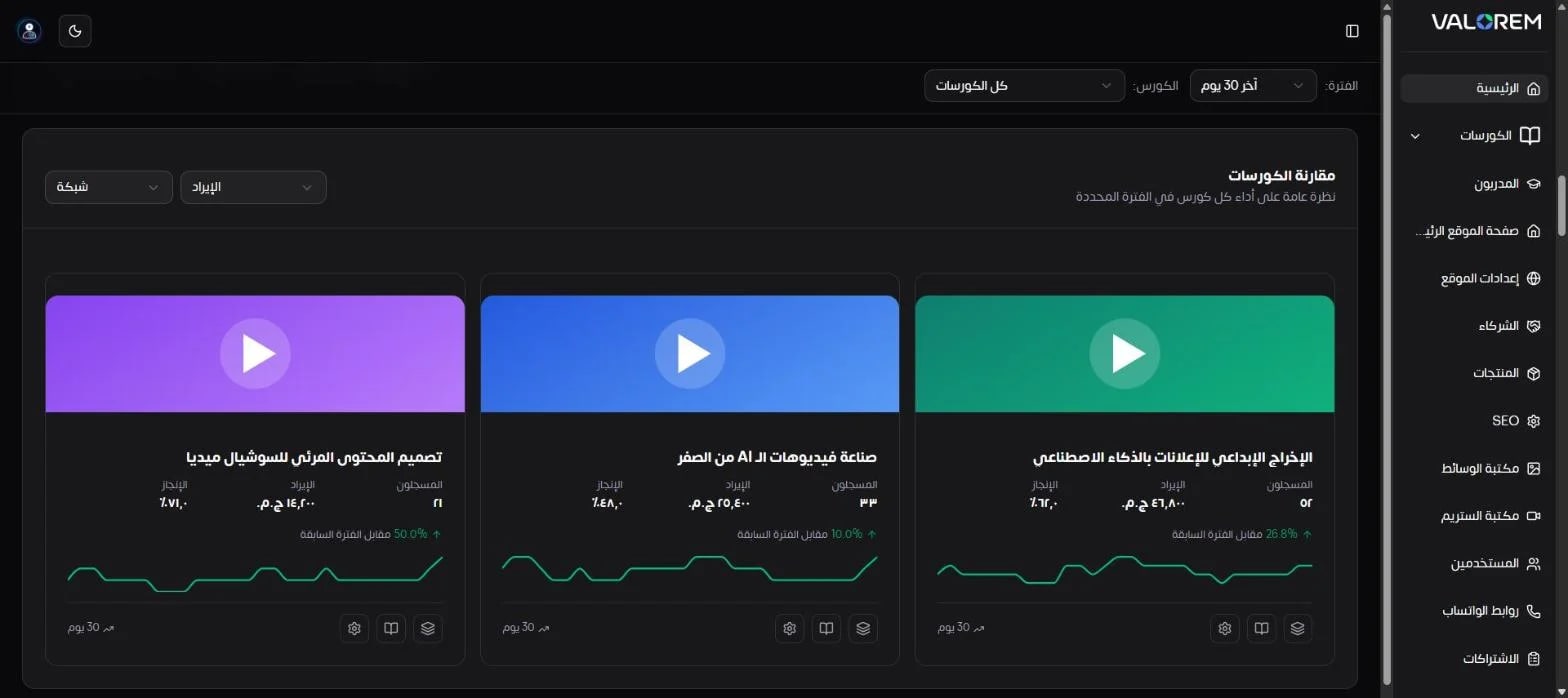
Side-by-side course cards show enrollments, revenue and average completion, the change versus the previous period, and a 30-day enrollment sparkline, with selectable layout and sorting by any metric.
4) Sales & growth
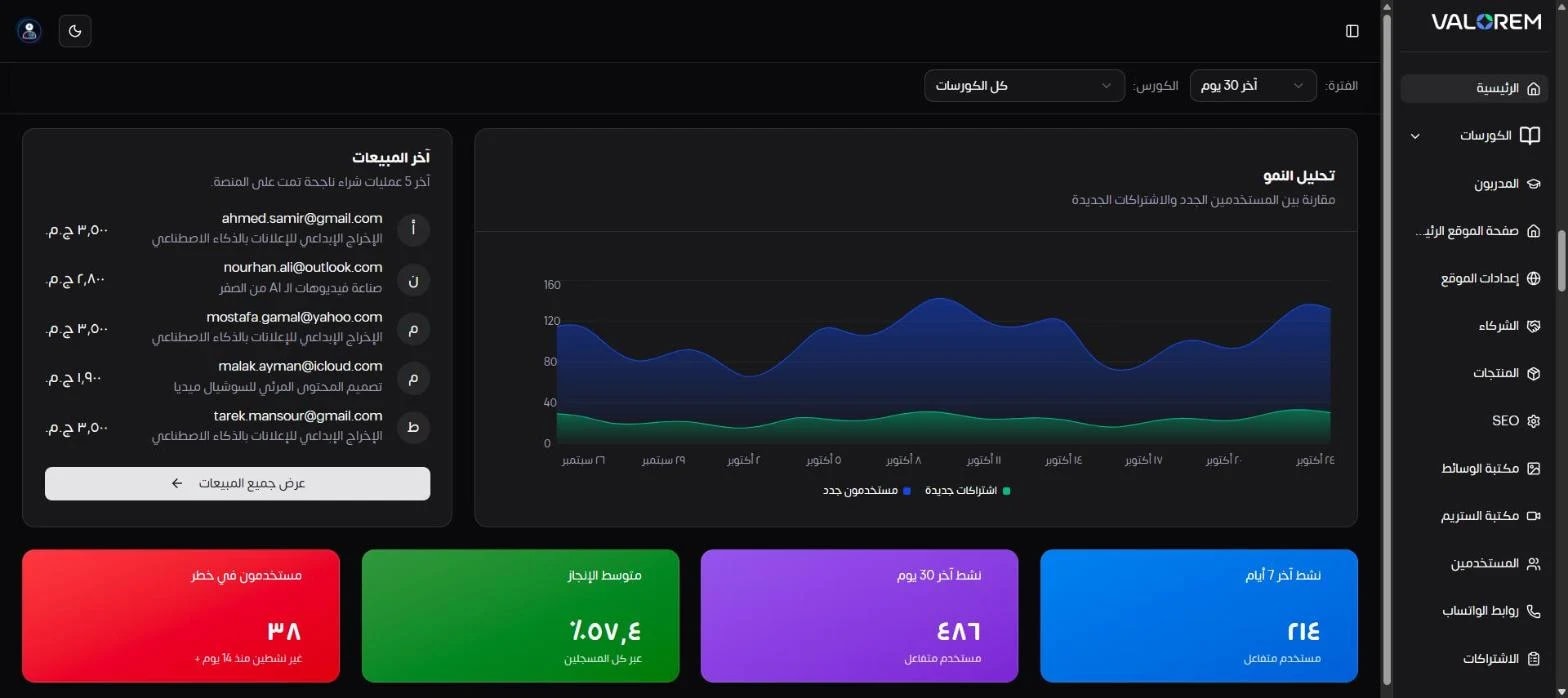
A live feed of the latest successful purchases next to a growth chart comparing new sign-ups with new enrollments, so the team can see whether traffic is turning into revenue.
5) Learner engagement & retention
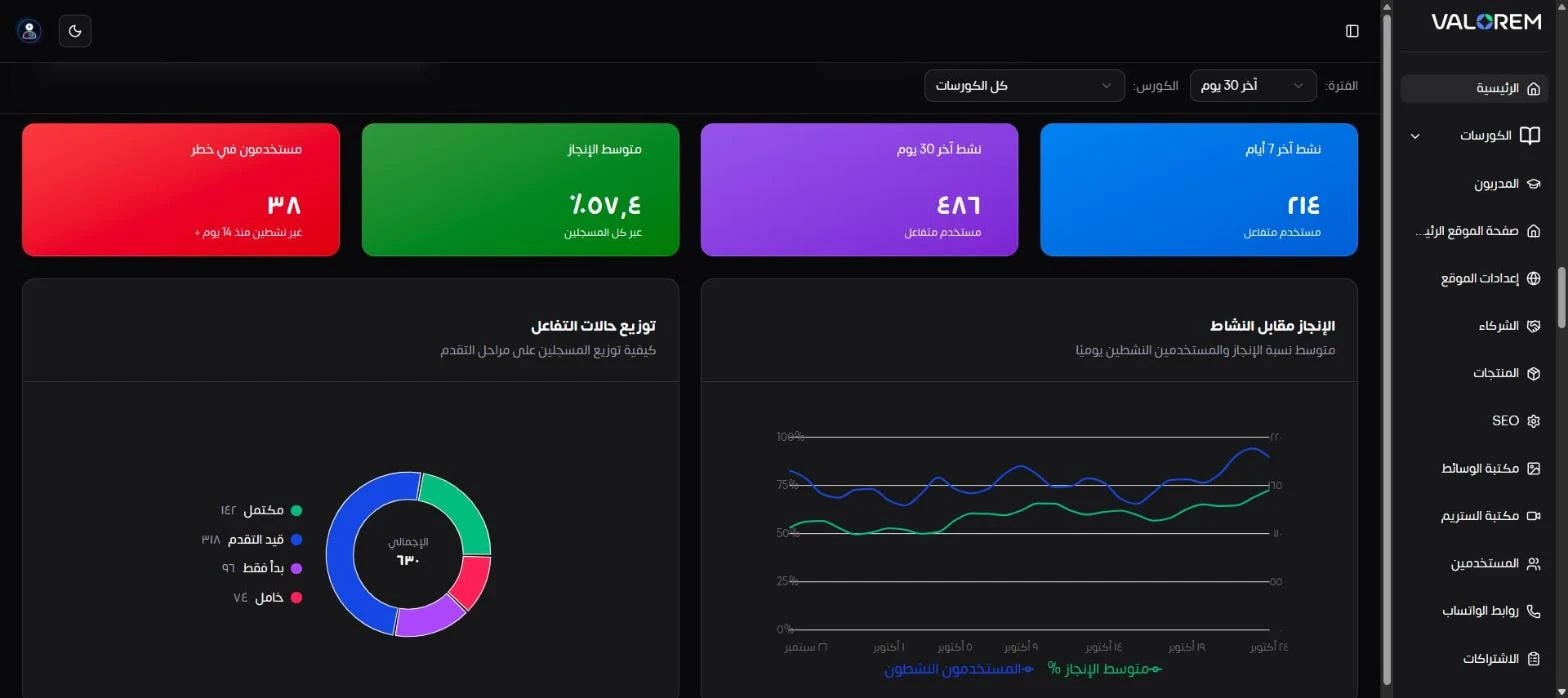
Active learners in the last 7 and 30 days, average completion rate, and the number of at-risk students.
A completion-versus-activity trend, and a breakdown of learners by stage: completed, in progress, just started and idle.
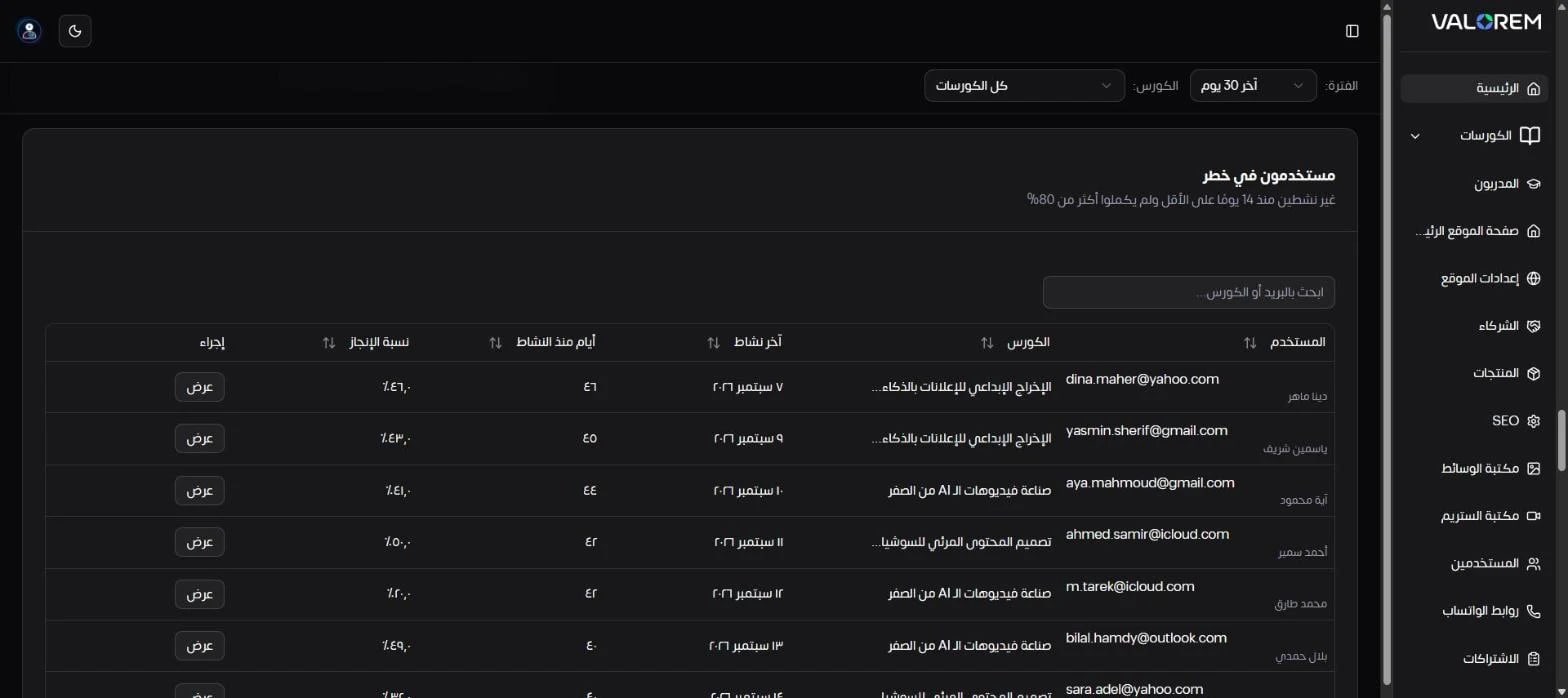
An at-risk students table (inactive for 14+ days and under 80% completion), searchable and sortable, ready for follow-up campaigns.
6) Video analytics
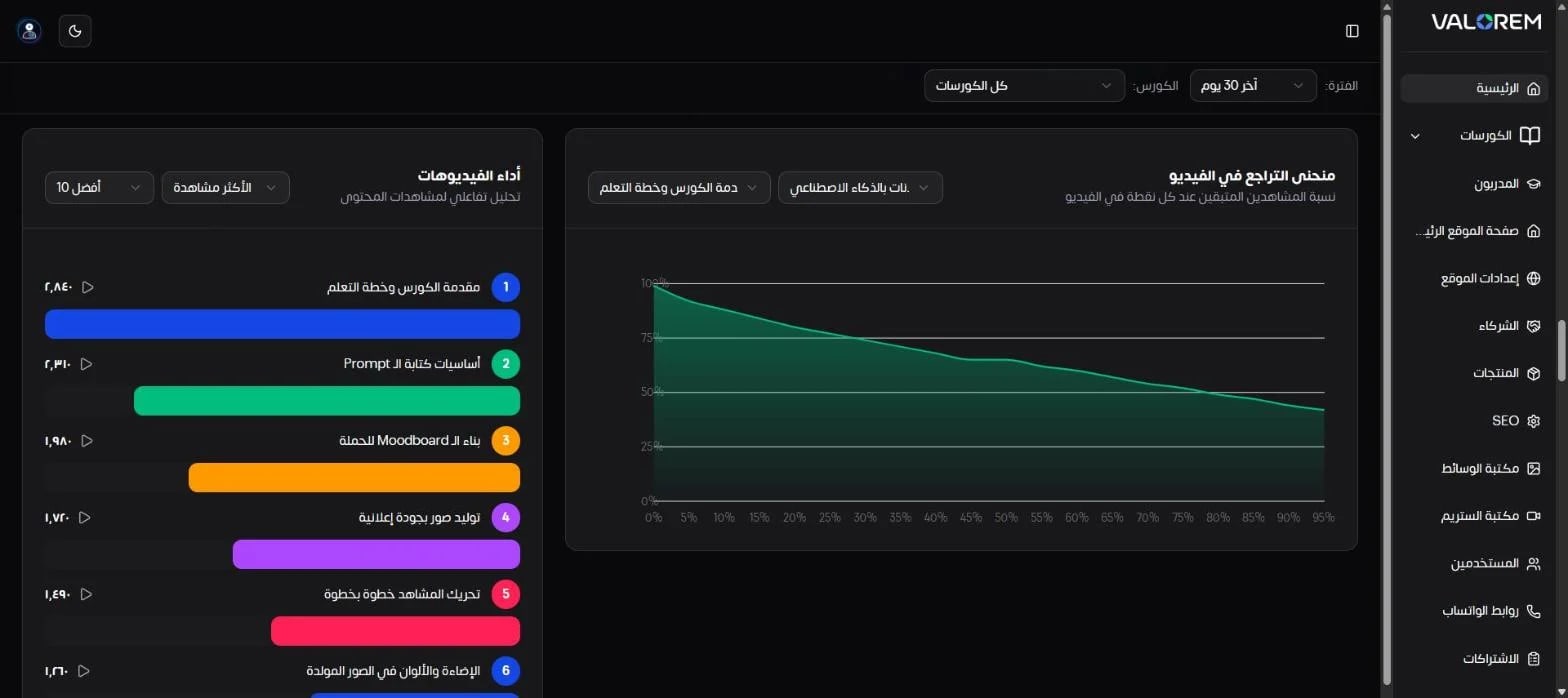
A drop-off curve shows exactly where viewers stop watching each lesson, filterable by course and video, alongside a ranking of the most-watched lessons. Content decisions are made on retention data, not guesses.
7) Acquisition & marketing attribution
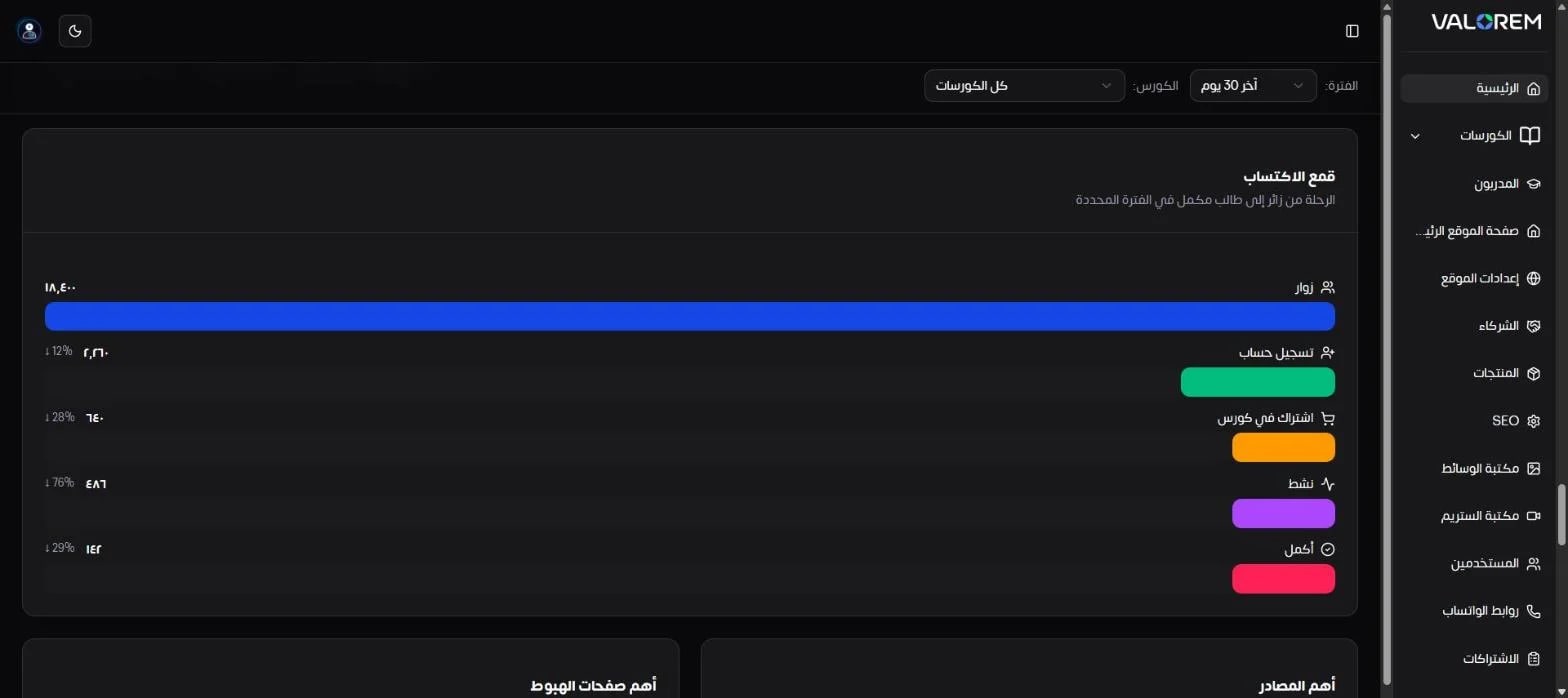
A full funnel from visitor to sign-up, enrollment, active learner and completion, with the drop-off between each step.
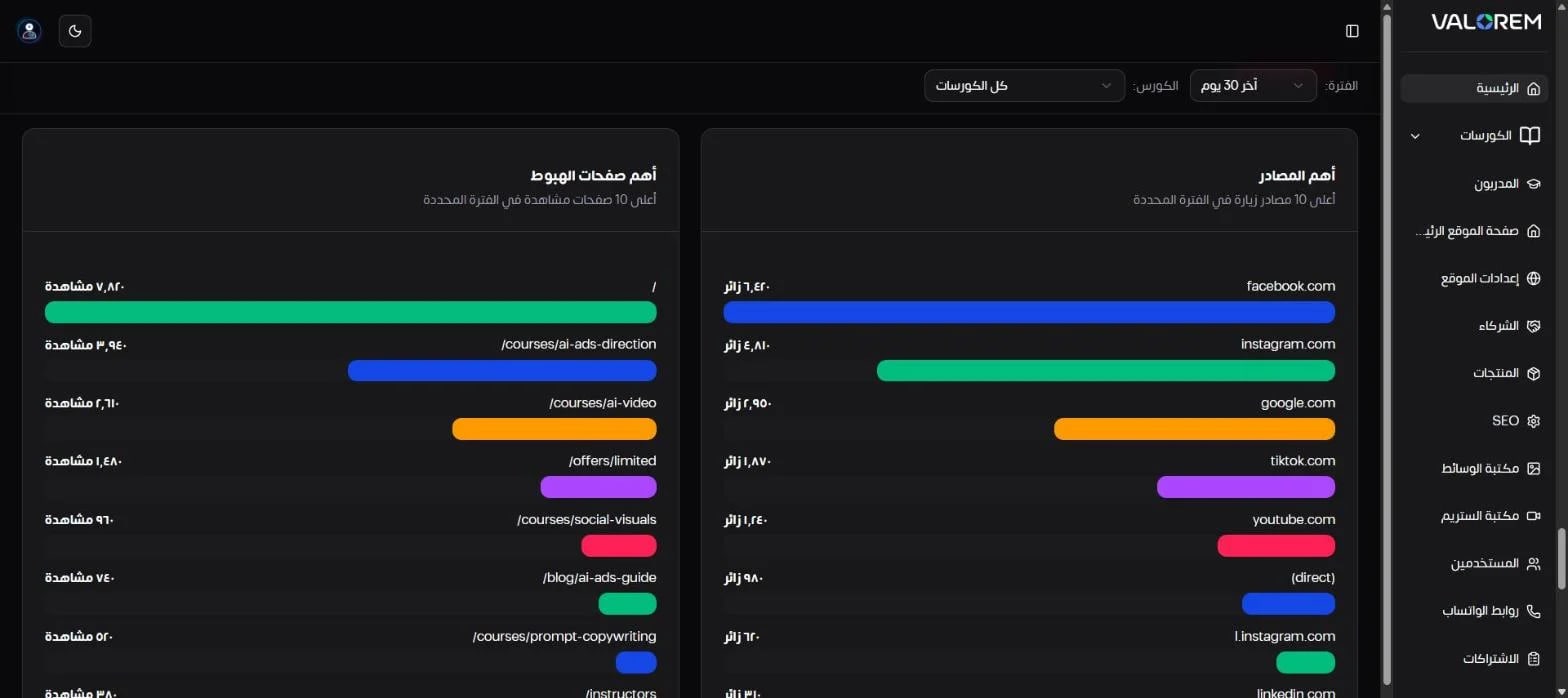
Top referral sources and top landing pages, with sign-up conversion rates.
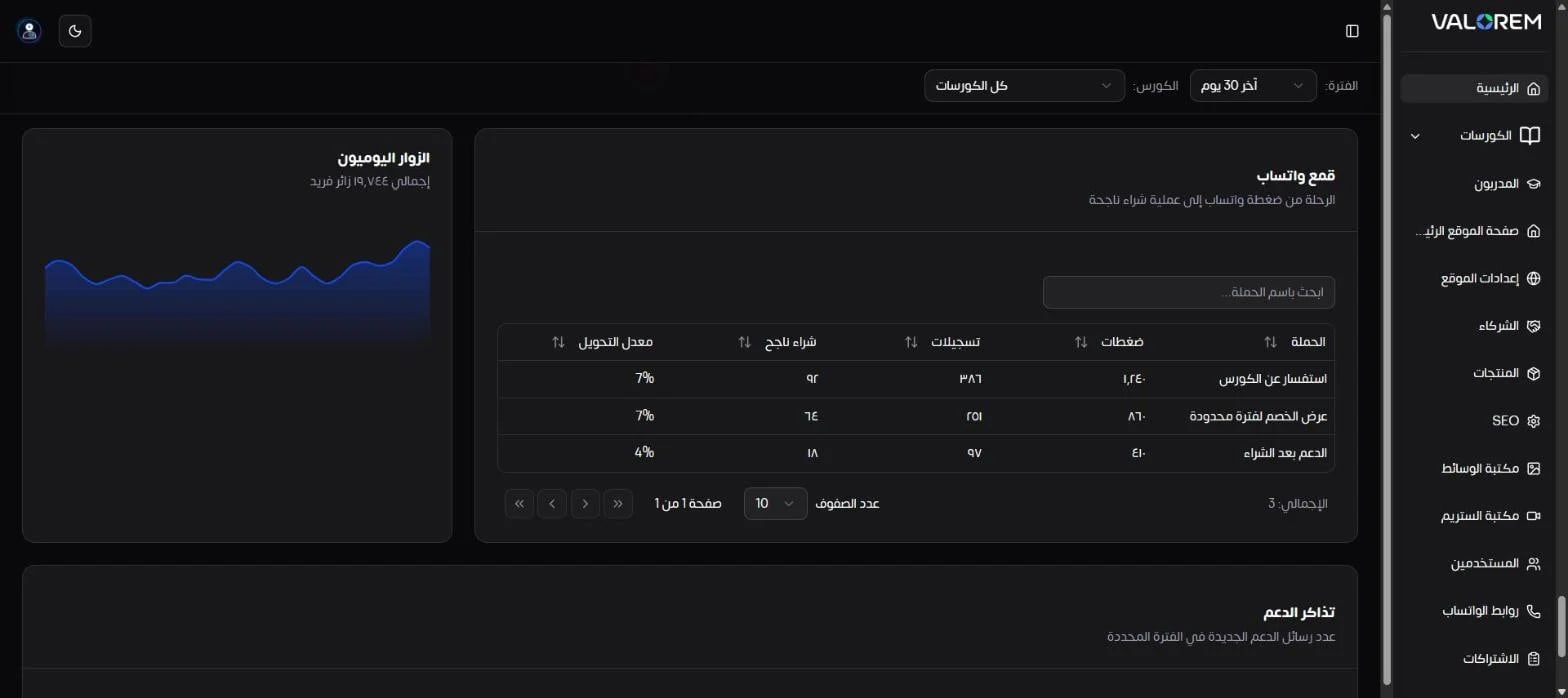
A WhatsApp funnel that tracks every campaign link from click to sign-up to paid purchase.
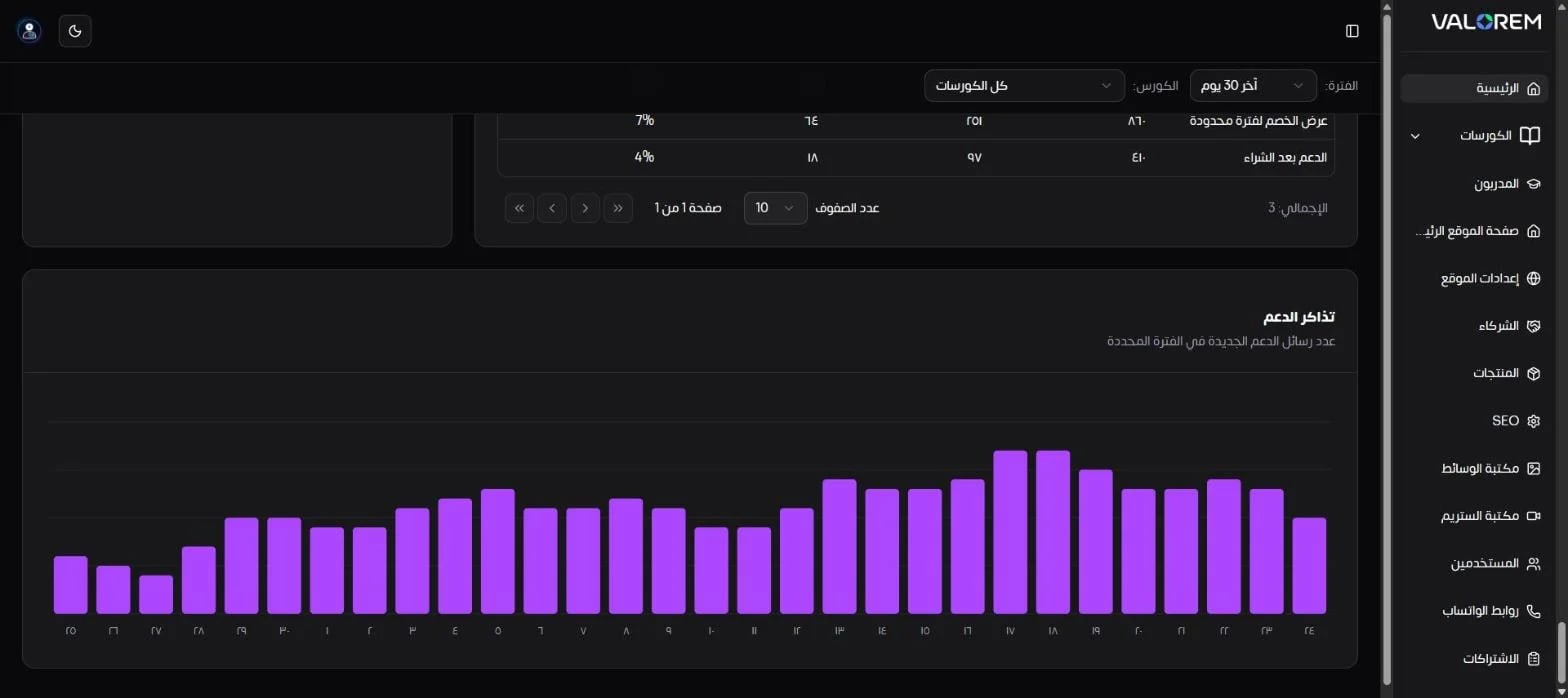
Daily unique visitors and daily support-message volume.
8) Content, students & operations
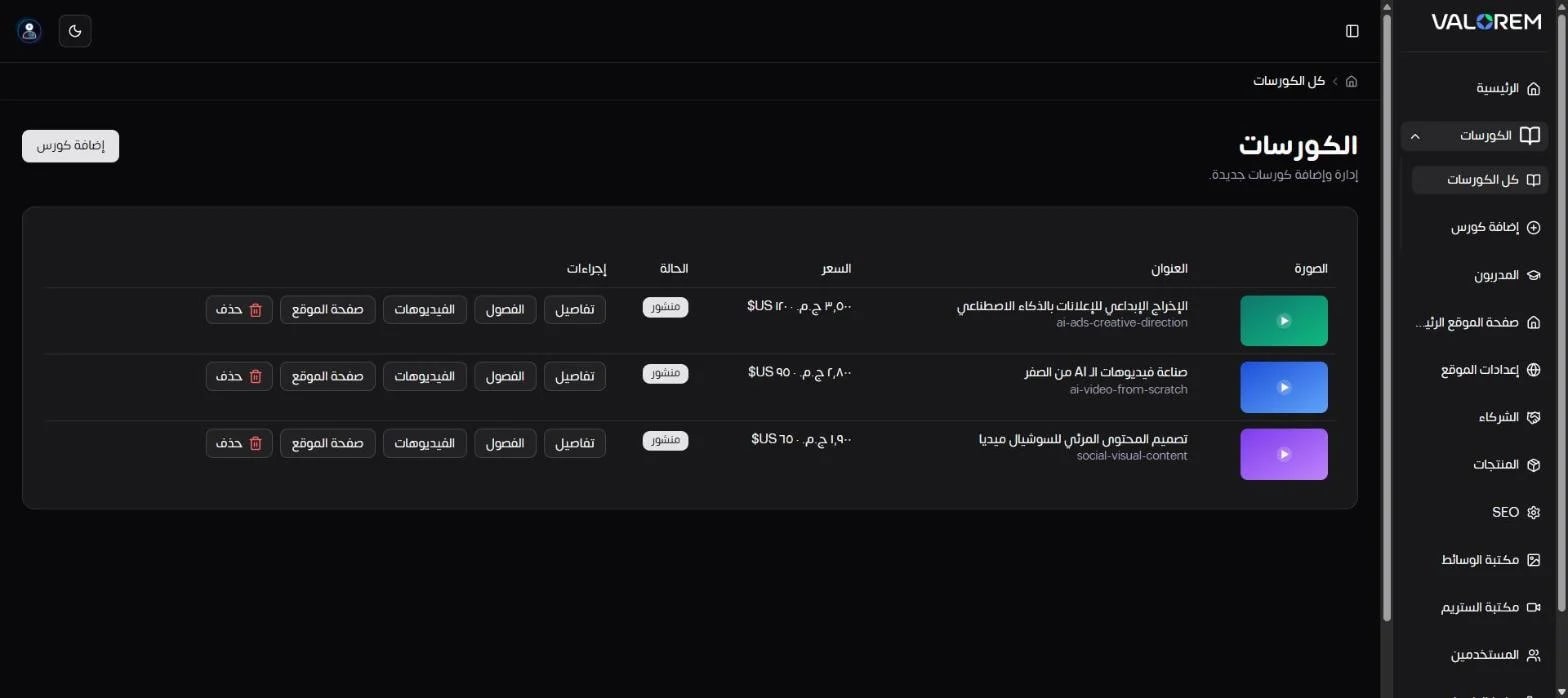
Courses: one table to open each course's details, chapters, videos or site page.
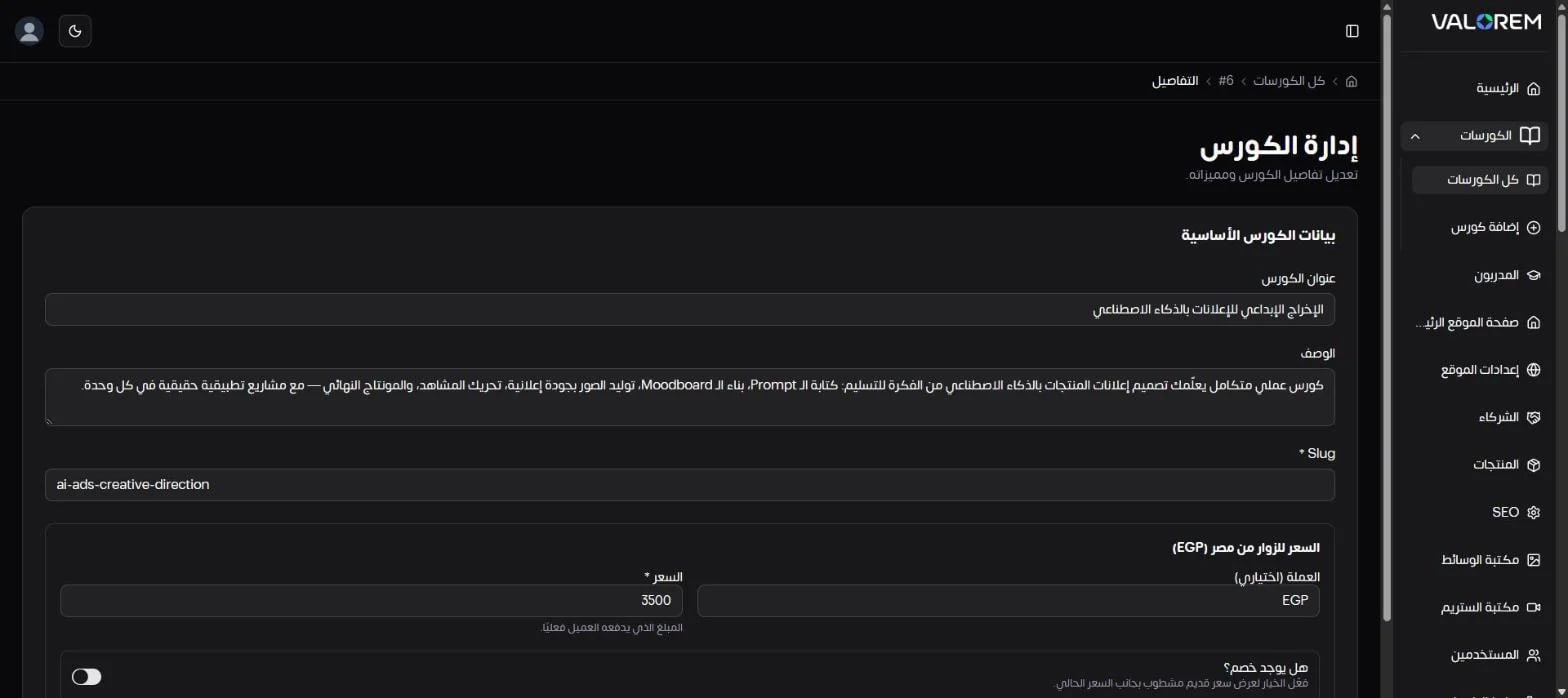
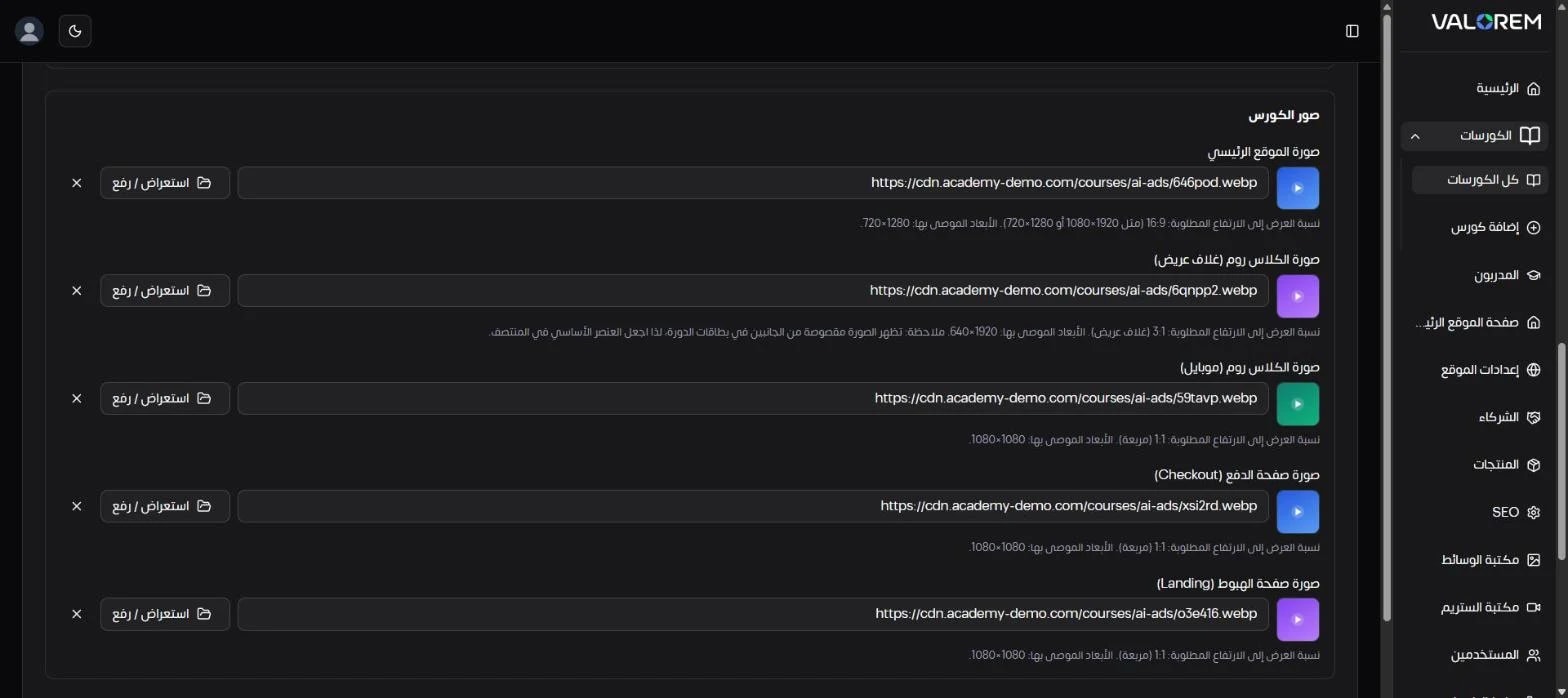
Course editor: dual pricing in EGP for Egypt and USD for international visitors, optional strike-through discounts with a live preview, and five dedicated image slots (site, wide classroom cover, mobile, checkout, landing) with size guidance.
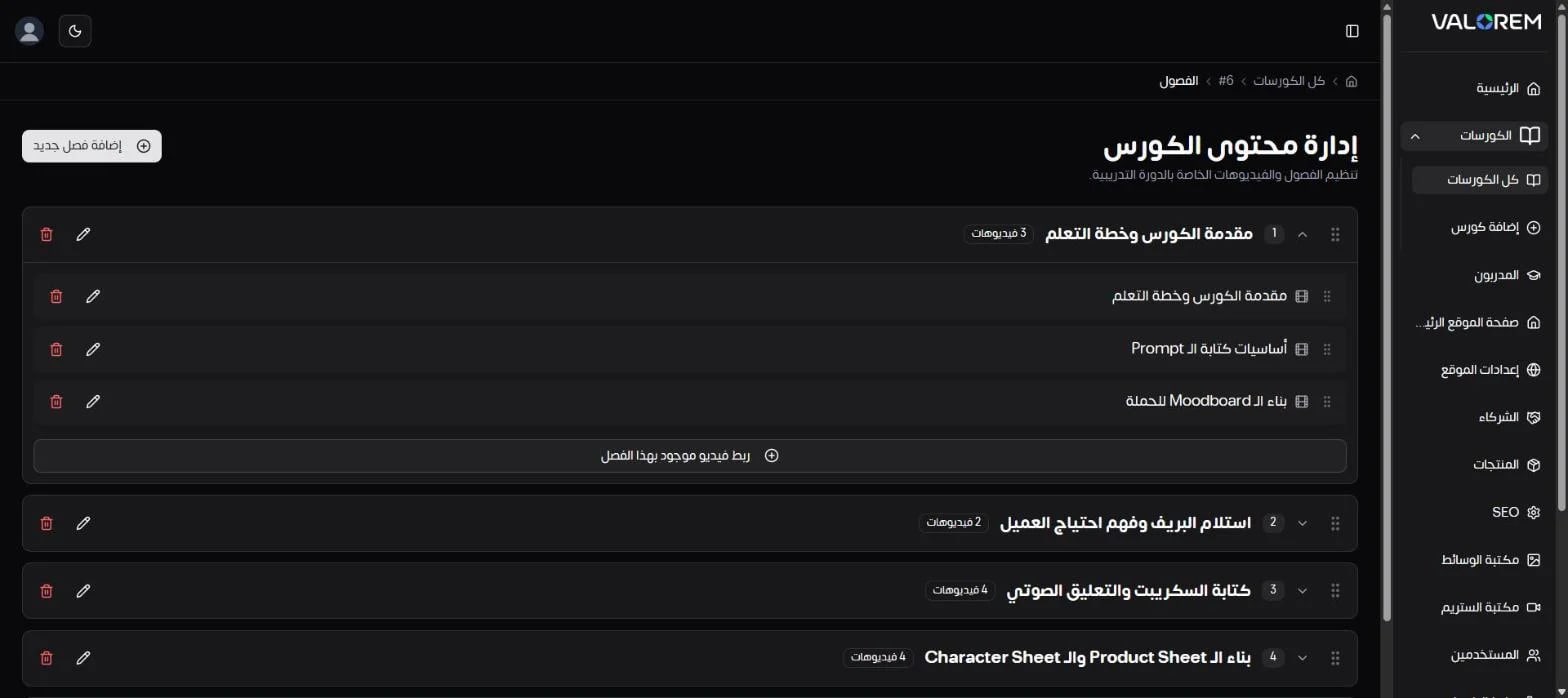
Chapters: drag-and-drop ordering of chapters and lessons, and linking existing videos from the stream library.
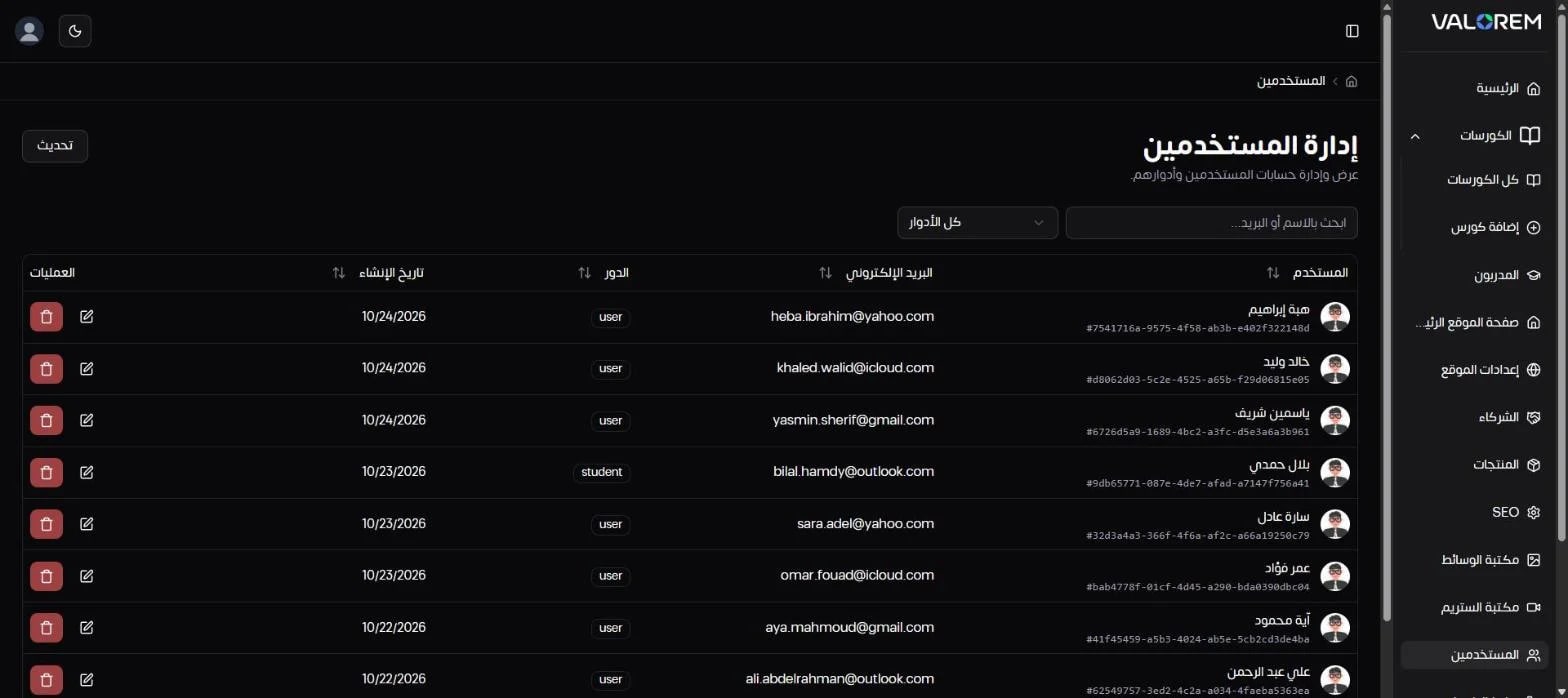
Users & roles: searchable user management, filterable by role.
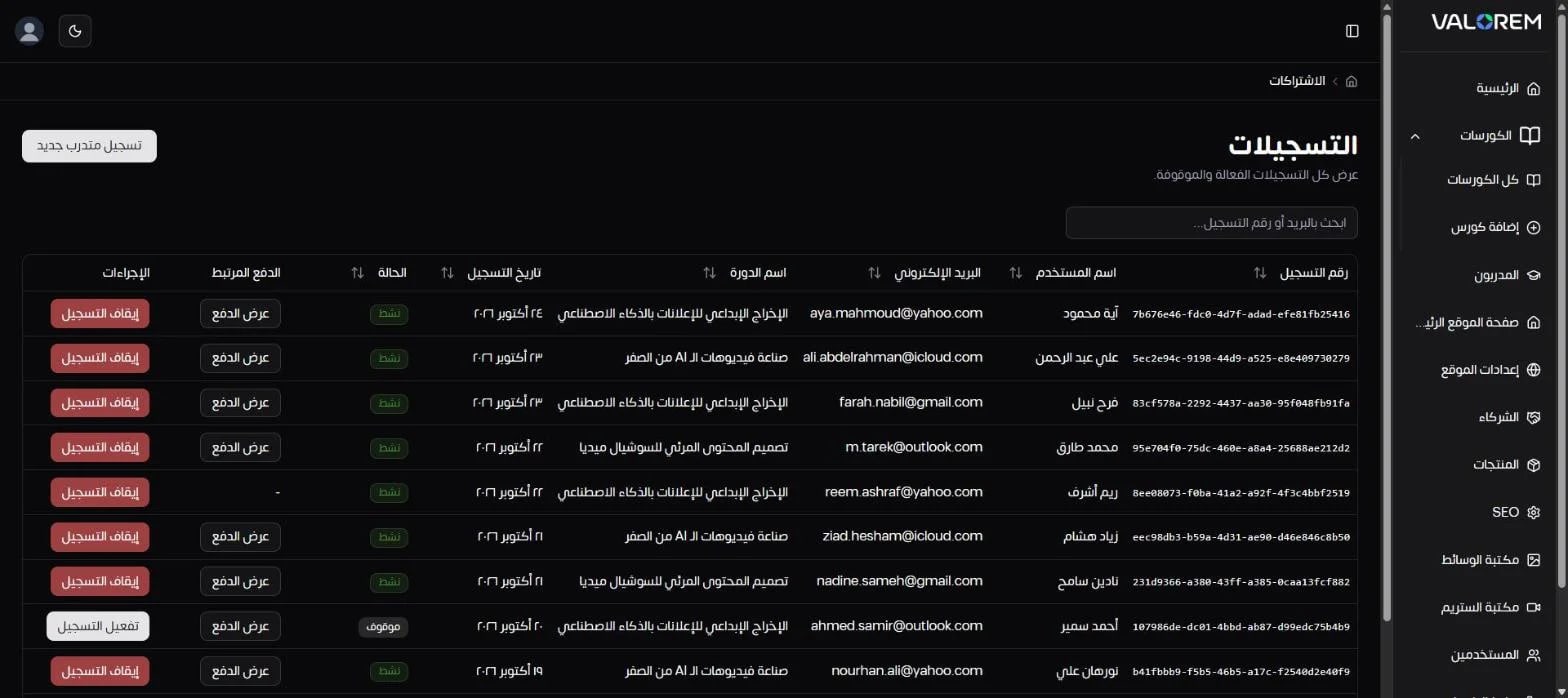
Enrollments: manual enrollment, suspending and reactivating access, and a link to the payment behind each enrollment.
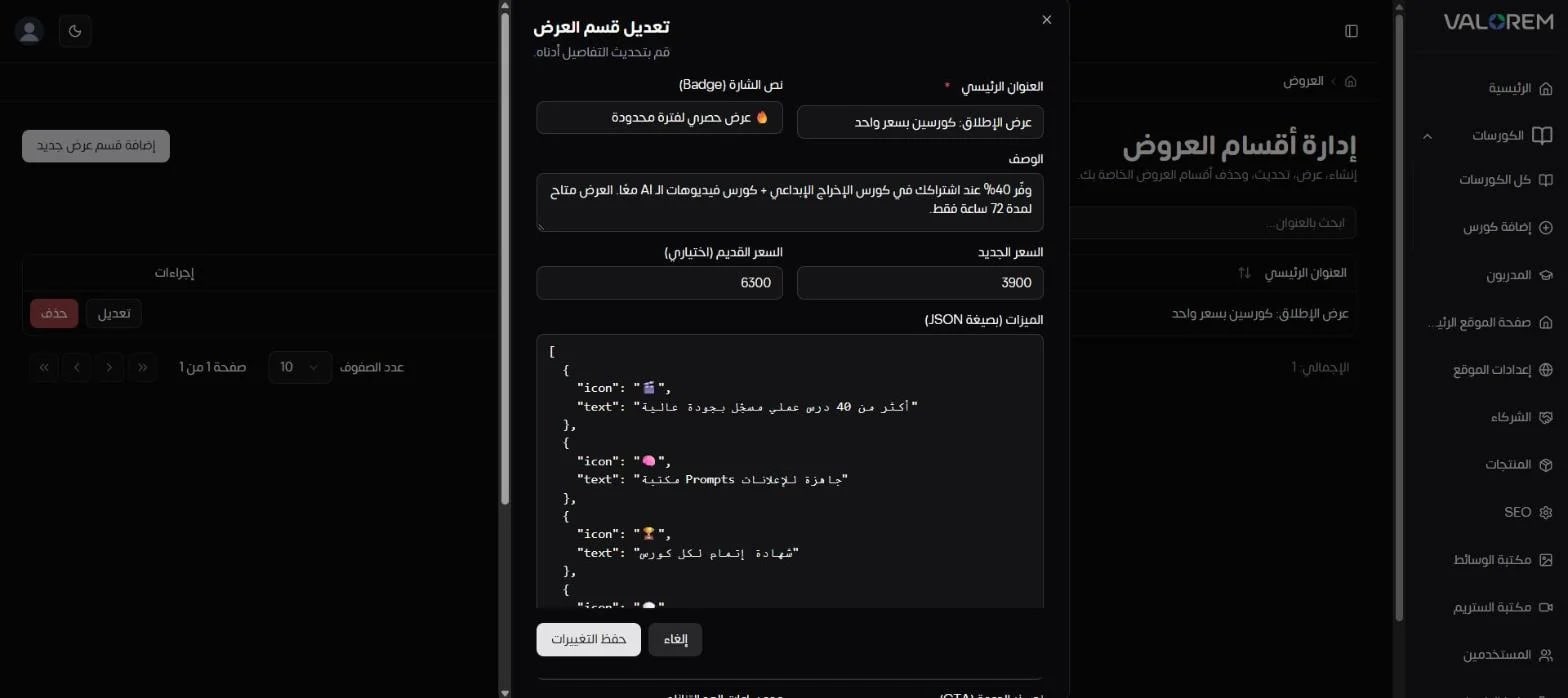
Offers: time-limited offer sections with a badge, old and new price, feature list, countdown timer and call to action, all editable without code.
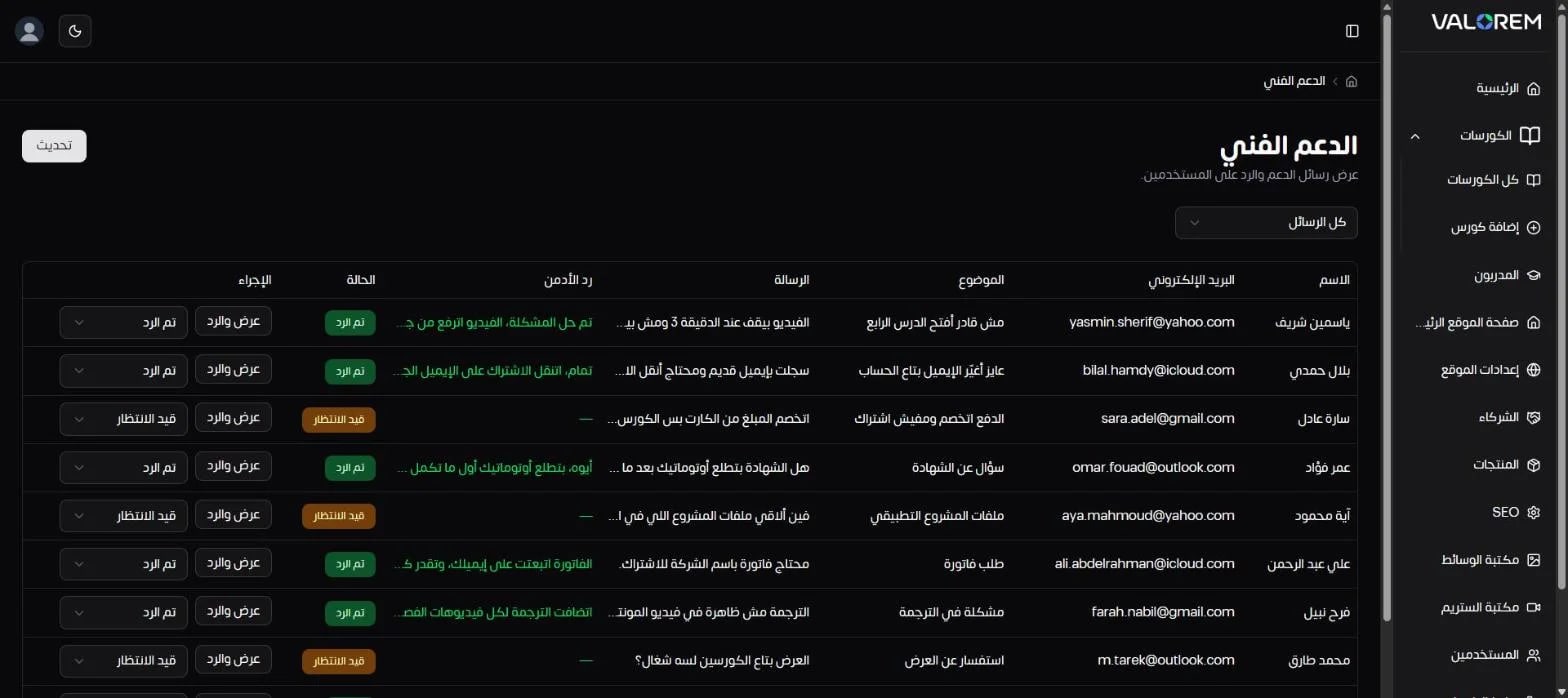
Support inbox: every student message with its status and the admin's reply in one place.
Under the Hood
Front end: Next.js and TypeScript, with an Arabic-first RTL interface and light and dark themes.
Data: Supabase (PostgreSQL). Heavy analytics run as database functions, so charts stay fast as data grows.
Integrations: Kashier payments and Bunny Stream video, both feeding the analytics layer.
Access: role-based permissions on top of Supabase Auth.
Outcomes
One screen that answers an online academy's daily questions: what sold, what's working and who needs attention.
Recoverable revenue surfaced automatically instead of getting lost in payment logs.
Retention managed proactively through at-risk lists and video drop-off data.
The team runs content, pricing, offers, students and support without a developer.
Want a dashboard like this for your academy? Explore HBS LMS.
Enterprise Software Development
Explore Services category
Visual Showcase.
Highlights from the user interface and key features
More case studies
Venus Business Solutions: CMS & Mini CRM Dashboard

LDY CMS (Dashboard)
Prof. Dr. Nabil ElSakka: A Personal Brand Website & Booking Platform for a Psychotherapist