
A clinic management system that really fits you covers five things: appointments, the patient file and medical record, billing and collection, reminders and patient communication, and reporting, with permissions that stop any staff member from seeing medical data that is not theirs to see. Beyond that, it depends on your size: a single clinic needs a simple system that works from day one, while a multi-specialty or multi-branch medical centre needs to connect doctors, departments, branches and insurers in one place.
This guide sets out the core modules of a clinic management system and who uses each one, the difference between the needs of a single clinic and a medical centre, how to protect patient data, and the systems it should connect to, then gives you a list of questions to ask before you choose.
What should a good clinic management system do?
Start from the patient's journey through your clinic, from booking to follow-up, then ask which steps are still handled on paper, in a notebook or on the receptionist's phone. These modules cover the whole journey:
| Module | What it does | Who uses it |
|---|---|---|
| Appointments | A schedule for each doctor and room, booking, cancelling and rescheduling, and a waiting list | Reception, and patients if there is online booking |
| Patient file | Basic details, medical history, allergies and current medication | Reception for basic details, the doctor for medical history |
| Visit record | Complaint, examination, diagnosis, prescription, and lab and radiology requests | The doctor alone or with an assistant |
| Billing and collection | The list of services and prices, the invoice, cash or electronic payment, and packages | Reception and accounts |
| Reminders and communication | Confirmation and reminder messages and follow-up after the visit | Runs automatically, with reception reviewing |
| Reports | Revenue by doctor and service, no-show rate, waiting times and returning patients | The clinic owner or management |
You do not need every module at the same depth from day one. Start with whatever costs you most today: if it is missed appointments, start with booking and reminders, and if it is uncollected invoices, start with collection.
How do the needs of a single clinic differ from a multi-branch medical centre?
The most common mistake is a medical centre choosing a system designed for one clinic, or a small clinic buying a heavy system and using half of it:
| Aspect | Single clinic | Multi-specialty or multi-branch centre |
|---|---|---|
| Appointments | The schedule of one or two doctors | Schedules for doctors, rooms and equipment, with doctors working across branches |
| Patient file | One file inside the clinic | One file that every treating doctor in any branch can see, according to their permissions |
| Accounts | Daily revenue and simple expenses | Doctor shares, settlements between branches and with insurers |
| Permissions | Doctor and reception | Many roles: doctors, nurses, reception, lab, accounts and management |
| Reports | A daily and monthly summary | Comparisons across branches, specialties and doctors |
| Usual best fit | A good ready-made product | A custom system, or a ready-made product with a custom layer |
To work out when ready-made software is enough and when building is worth it, see our comparison of building a custom system and buying ready-made software.
How do you protect patient data inside the system?
Medical data is among the most sensitive data there is, and as things stand (November 2026), Egypt's Personal Data Protection Law No. 151 of 2020 treats data that reveals a person's health as sensitive data that needs a higher level of protection. So do not accept a system that lacks these controls:
- Role-based permissions. Reception sees appointments and contact details, the doctor sees the medical record of their own patients, and accounts see invoices without the diagnosis.
- An audit log of every access. Who opened which patient file, when, and what they changed or exported. That log is what you need if anything goes wrong.
- Regular, tested backups. A backup that has never been restored does not really protect you.
- Secure sign-in. Strong passwords and two-step verification at least for doctors and management, and automatic sign-out on shared reception computers.
- Clarity on where the data lives and who owns it. Where it is stored, who owns it, and how you export all of it if you decide to change systems.
As things stand (November 2026), the law also requires personal data to be collected for specific purposes declared to the person, and not to be kept longer than needed for that purpose. So decide from the start what the patient registration form collects and why, write a clear policy on how long files are kept and how they are handled after that, and review it with your legal adviser before go-live.
Which systems should the clinic system connect to?
An isolated system only moves manual work from the notebook to the screen. A connected system actually saves time. The most important integrations for clinics and medical centres are:
- WhatsApp for confirmations and reminders. A confirmation on booking and a reminder before the appointment reduce no-shows, and we explain the official integration options in our WhatsApp Business API integration playbook.
- Payment gateways. Prepayment to confirm a booking, or electronic payment at the clinic. We cover the options for connecting Egyptian payment gateways to your system.
- E-invoices and e-receipts. Check your facility's tax obligations before you design the billing module. Our guide to e-invoicing in Egypt and connecting it to your system explains the steps.
- Lab and radiology. Sending the request from the medical record and receiving the result in the patient file, instead of paper and photos on a phone.
- Insurance companies. For centres that work with insurers, recording approvals and claims and following up on receivables.
- Accounting. Moving revenue and expenses into the accounting software without re-entering them.
Does your clinic need a mobile app for patients?
Usually not at first. Most patients do not want to download an app for a clinic they visit once or twice a year. A booking link on the website and confirmation and reminder messages on WhatsApp are enough for them. An app becomes useful when visits repeat and the patient needs ongoing follow-up, such as physiotherapy sessions, long dental treatment plans or chronic care, or when you run a large centre with many branches and services.
If you do decide to build an app, make it an extension of the clinic system itself, not a separate system: the appointment a patient books shows up straight away in the doctor's schedule, a lab result reaches the patient after the doctor has reviewed it, and the invoice is the same one in accounts.
What drives the cost of a clinic management system?
With ready-made software you usually pay a subscription that changes with the number of doctors, branches or users, and there may be extra fees for messages, integrations and training. With a custom system you pay to build it, then for hosting and maintenance. Either way, the cost rises with these factors: the number of branches and specialties, how far your specialty's way of working differs from the norm, the number of integrations with the lab, insurers, payments and accounting, the volume of old patient files to migrate, and whether there is a patient app. So compare the total cost over three years against the number of doctors and branches you expect, not the first month's price alone.
Which questions settle the choice of a clinic management system?
Before you buy or start building, get the lead doctor, the receptionist and the accountant together and answer these questions as a group:
- What is the biggest daily problem we want to solve first? No-shows, lost files, collection, or a lack of reports.
- How many doctors and branches will use the system today and in two years? And do some doctors work in more than one branch?
- Does the system support the way our specialty works? Dental treatment plans, physiotherapy session packages, or regular follow-ups.
- Are the interface, prescription and invoice in Arabic the way our patients need them? Including printing and messages.
- Who sees what inside the system? And is there a log of everyone who opened a patient file?
- Which systems must it connect to? WhatsApp, payments, the lab, insurers and accounting.
- Can we export all patient data if we change systems? And in what format?
- Who will train the team, and who will support us after go-live? Especially in the first weeks, when reception is under pressure.
What mistakes keep repeating when clinics roll out a system?
- Choosing the system from the demo. Try it for a full day with real appointments and the same receptionist, not with the sales representative.
- Neglecting the migration of old files. Agree in advance which existing patient files will be moved and how, instead of the doctor working in two systems.
- Training doctors at the last minute. A doctor who cannot find what they need within seconds will go back to paper, so give doctors a short training session of their own.
- Open permissions for everyone. Giving every staff member full access to make the start easier quickly turns into a privacy problem.
How does HBS approach systems for the medical sector?
At HBS we start from the patient's journey and from how sensitive their decision is. When we built the website and consultation booking platform for Prof. Dr. Nabil ElSakka, a psychotherapist for individuals, couples and families, we designed a private booking flow where the client chooses the consultation type, an online or in-person session, and a preferred day and time, and can book under a pseudonym, because in this field privacy is a condition for taking the first step. The site was built Arabic-first and fully right-to-left, so it speaks to its audience in their own language.
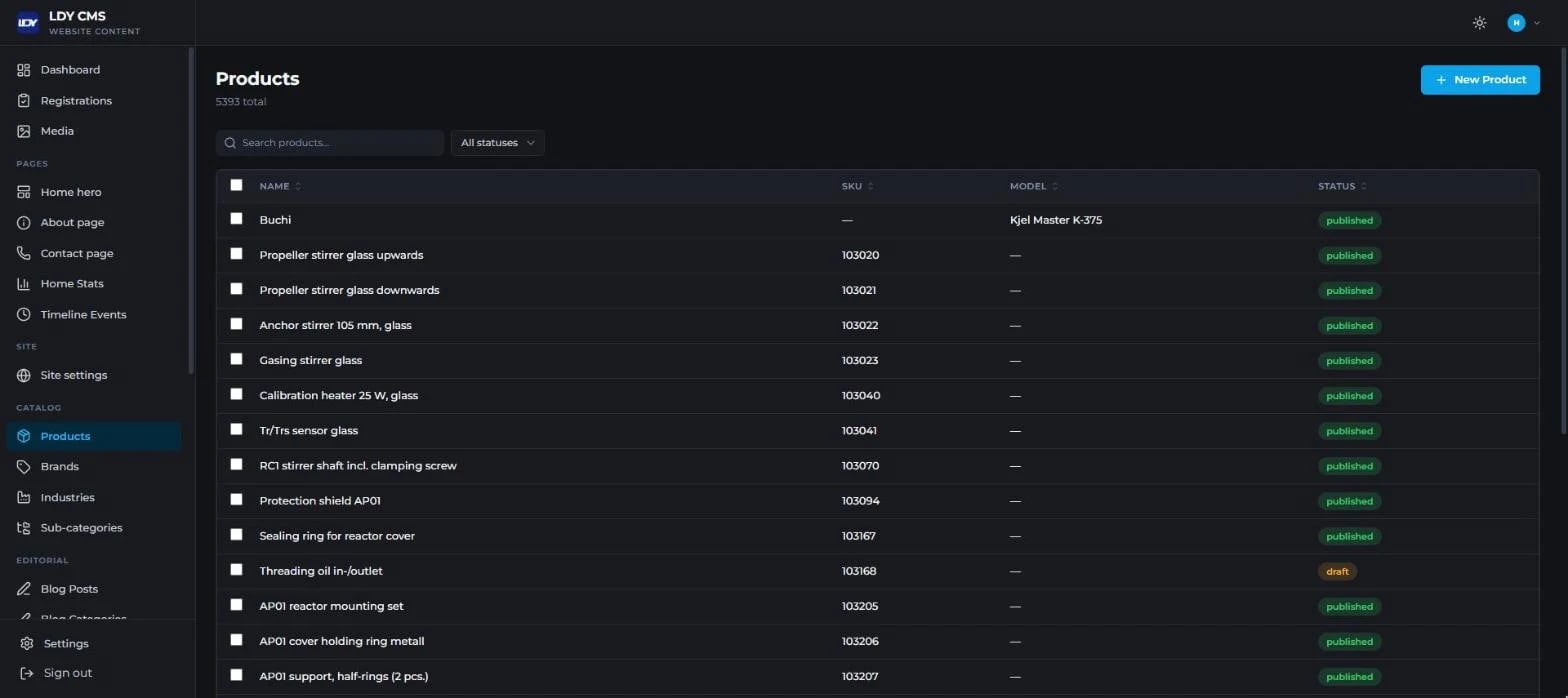
In internal systems we build permissions and the audit log into the core of the system, not as a later add-on, as we did in the LDY CMS dashboard, which includes a role-based permissions matrix and a full audit log of sign-ins, access changes and data exports. And we start any medical system with a discovery session with the doctor, reception and accounts together, because each of them sees a different part of the problem.
Legal details and fees in this article reflect the situation in November 2026 and may change; check the official source before you decide.
If you run a clinic or medical centre and cannot decide between a ready-made system and one built around the way you work, tell us how many doctors and branches you have and the biggest problem you face every day. We will sit down with you in a free discovery session and tell you honestly which option fits, and you can learn more about HBS custom software development for clinics and companies.